
Explore the product · Sample data only
Clinic software demo: see Ali Clinic Flow in actionA clearer clinic day.
See how it works.
Switch between actual product screens below and watch the captioned walkthrough. This is an interactive product tour. For a hands-on session, book a personal demo with the team.
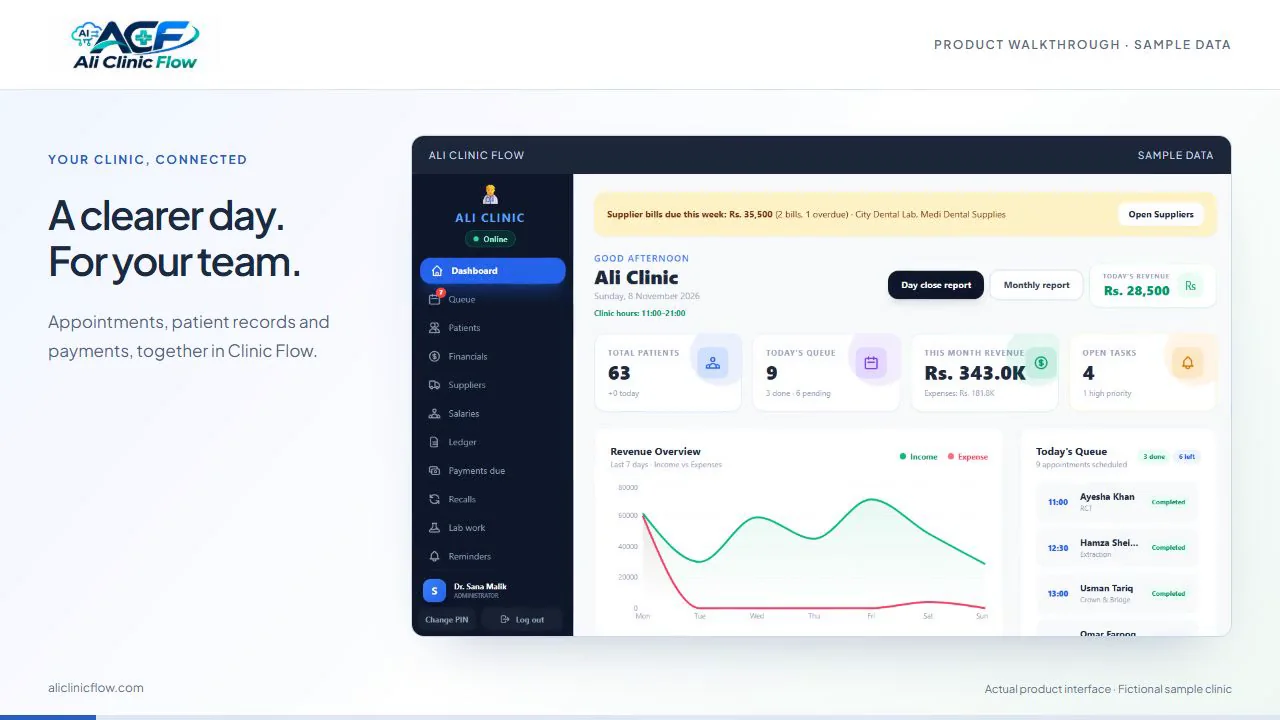
One connected clinic day
Less chasing.
More clarity at every step.
From the front desk to the next visit, give your team a clear view of the work in front of them.
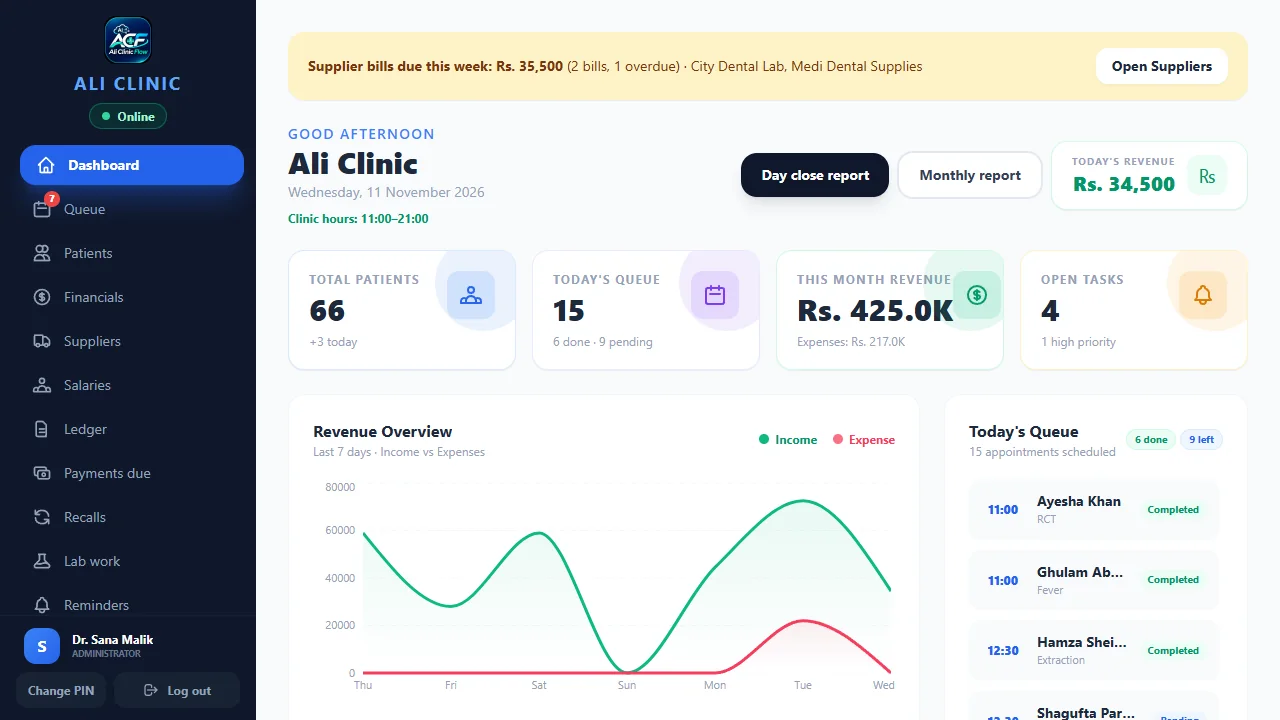
A clear start to your clinic day.
See the queue, open tasks and recorded payments together.
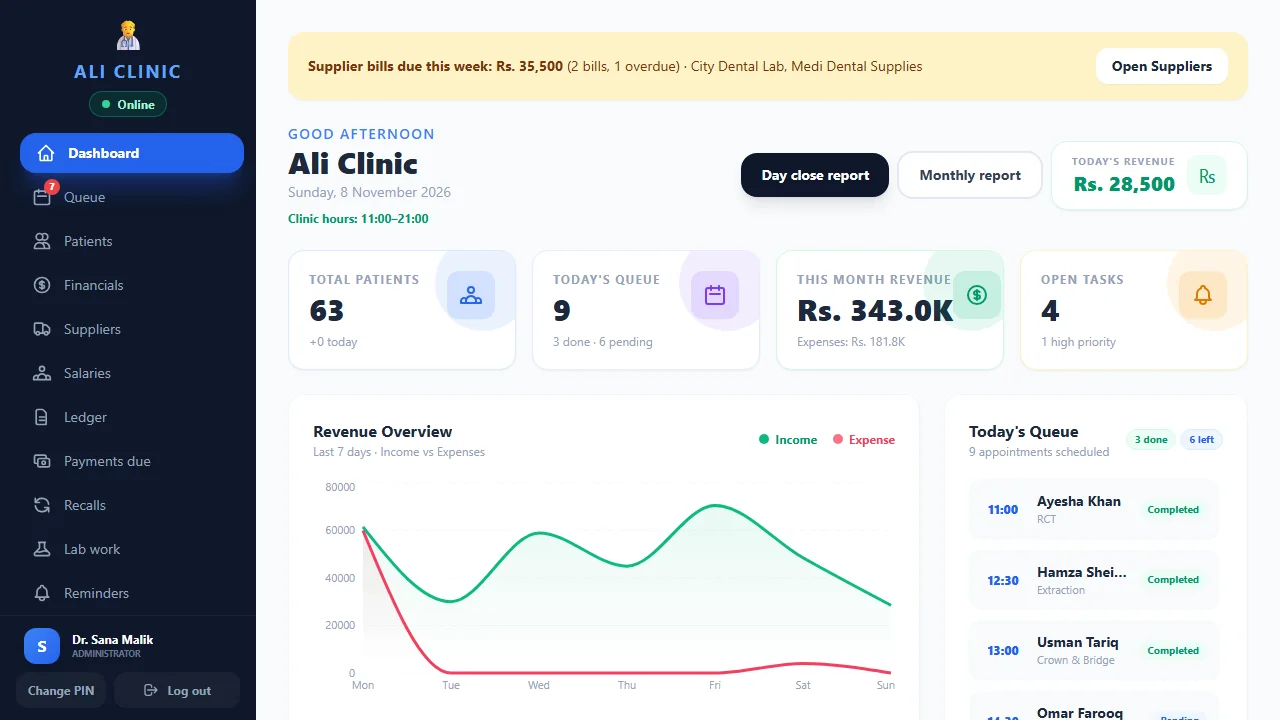
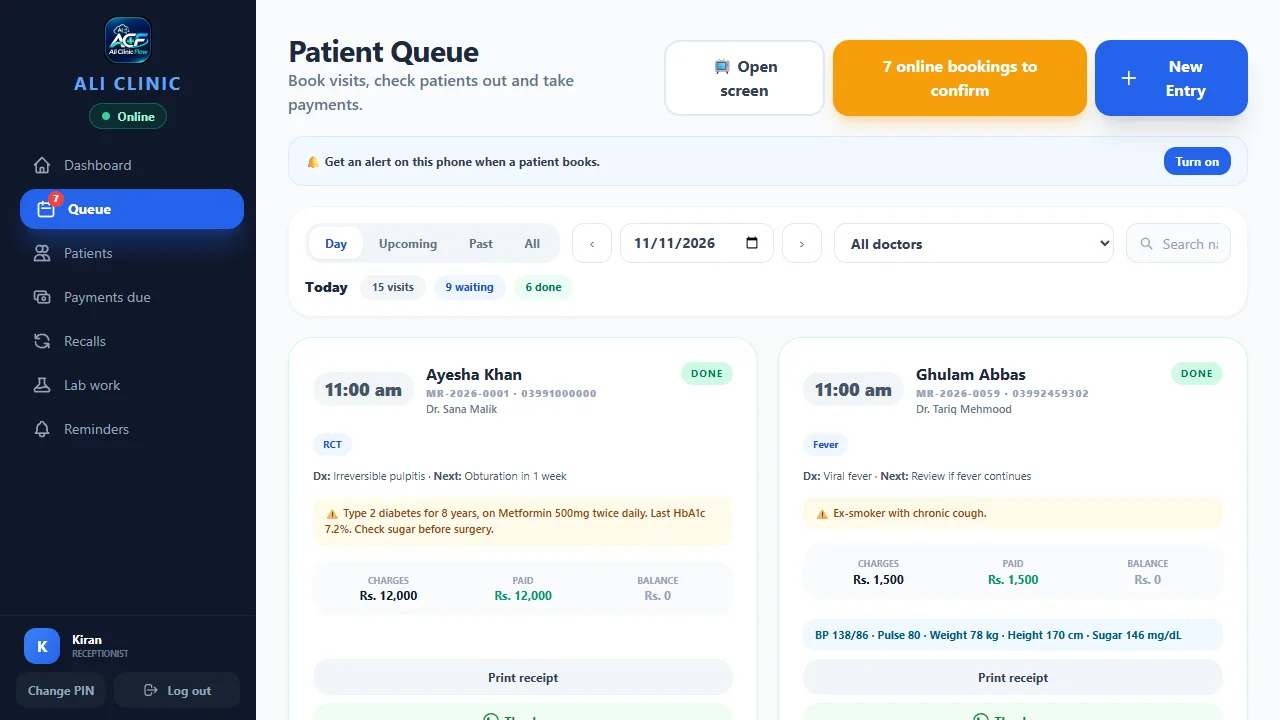
Keep reception moving.
Follow bookings and tokens as patients arrive and move through the clinic.
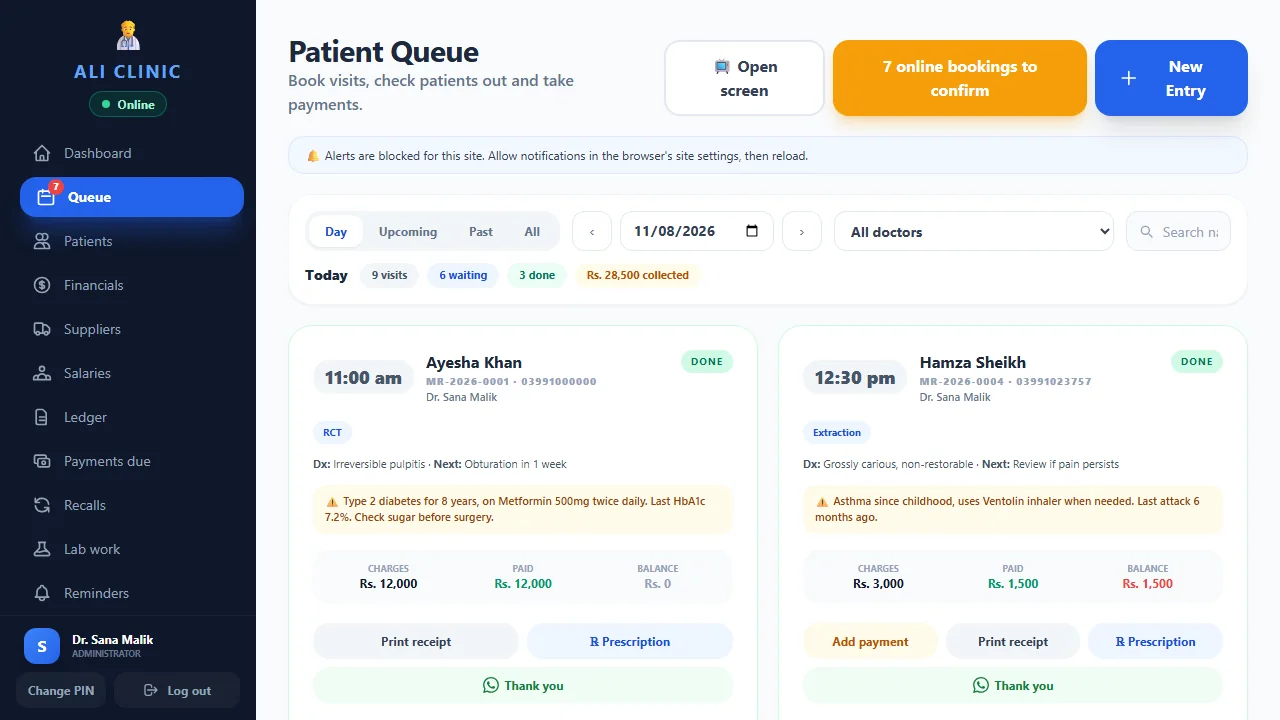
From the patient file to the treatment plan.
Record planned dental work and costs, then prepare a patient quote.
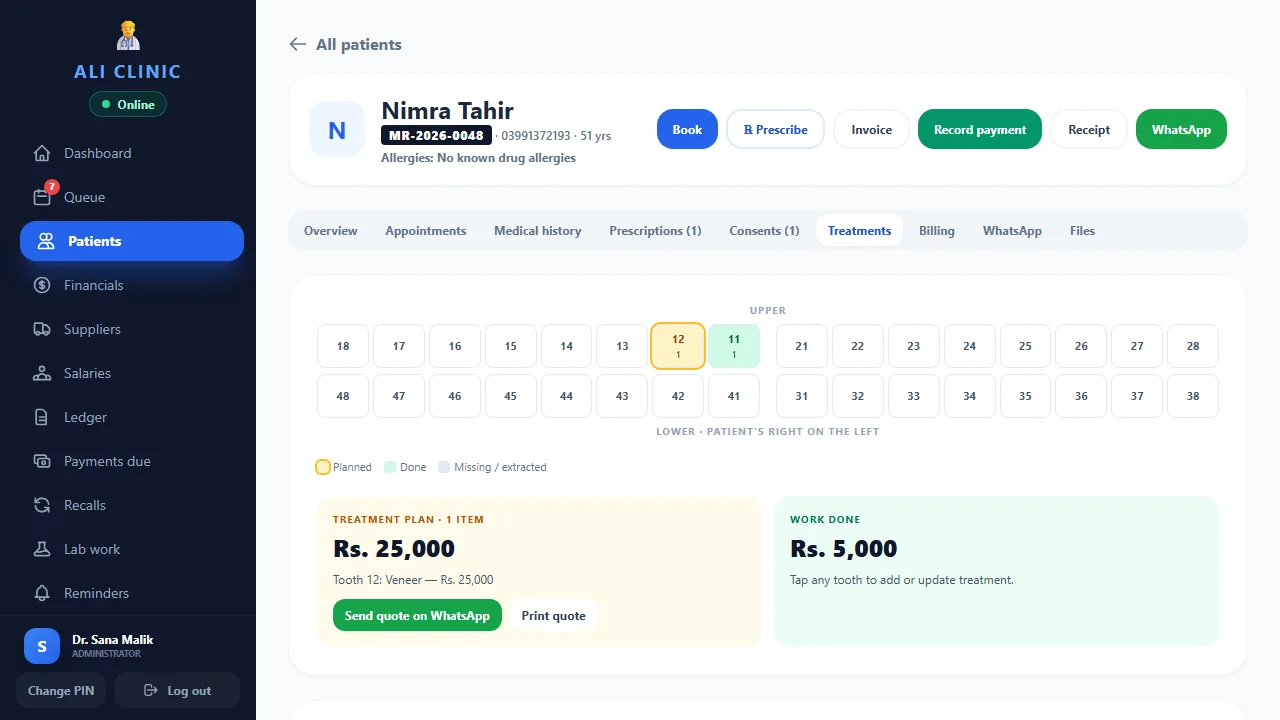
Keep every balance in view.
Keep part payments and instalment dates attached to the right patient.
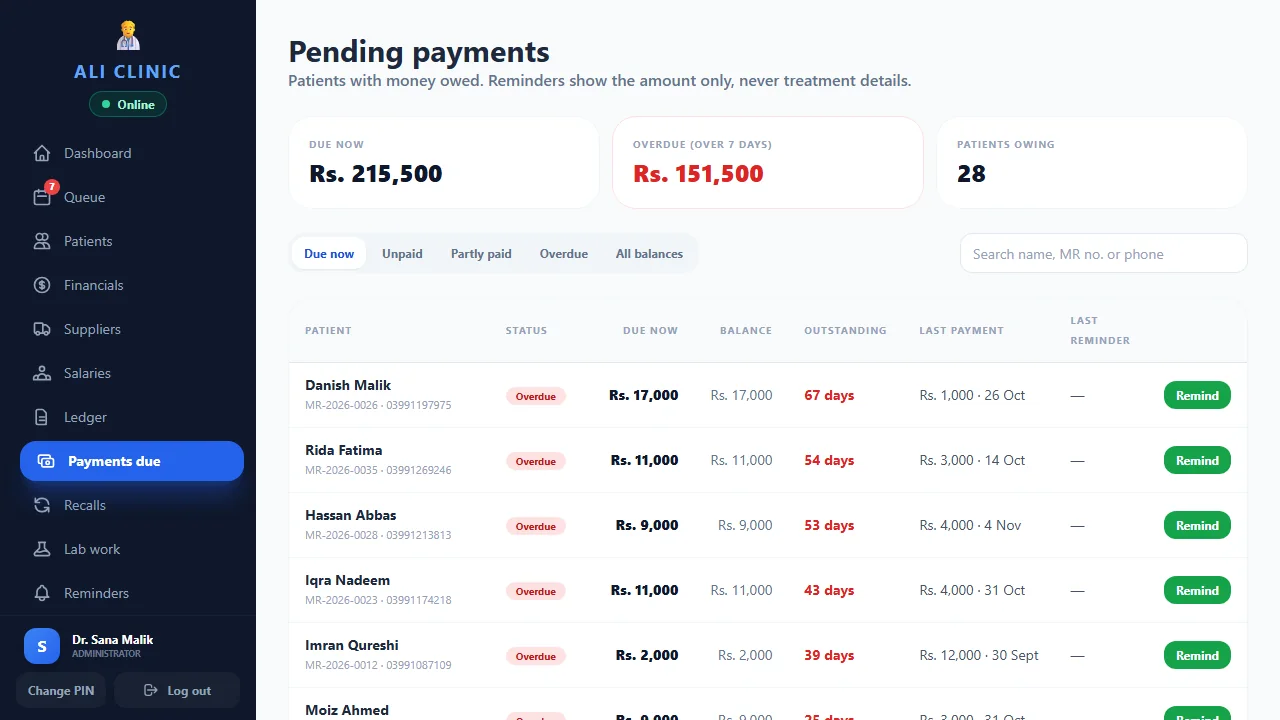
Actual product screens, shown with sample clinic data. Features depend on your plan and setup.
For every specialty
Your specialty.
One connected workflow.
We serve clinics across specialties. These are some of the practices we work with—select yours to explore the shared workflow.
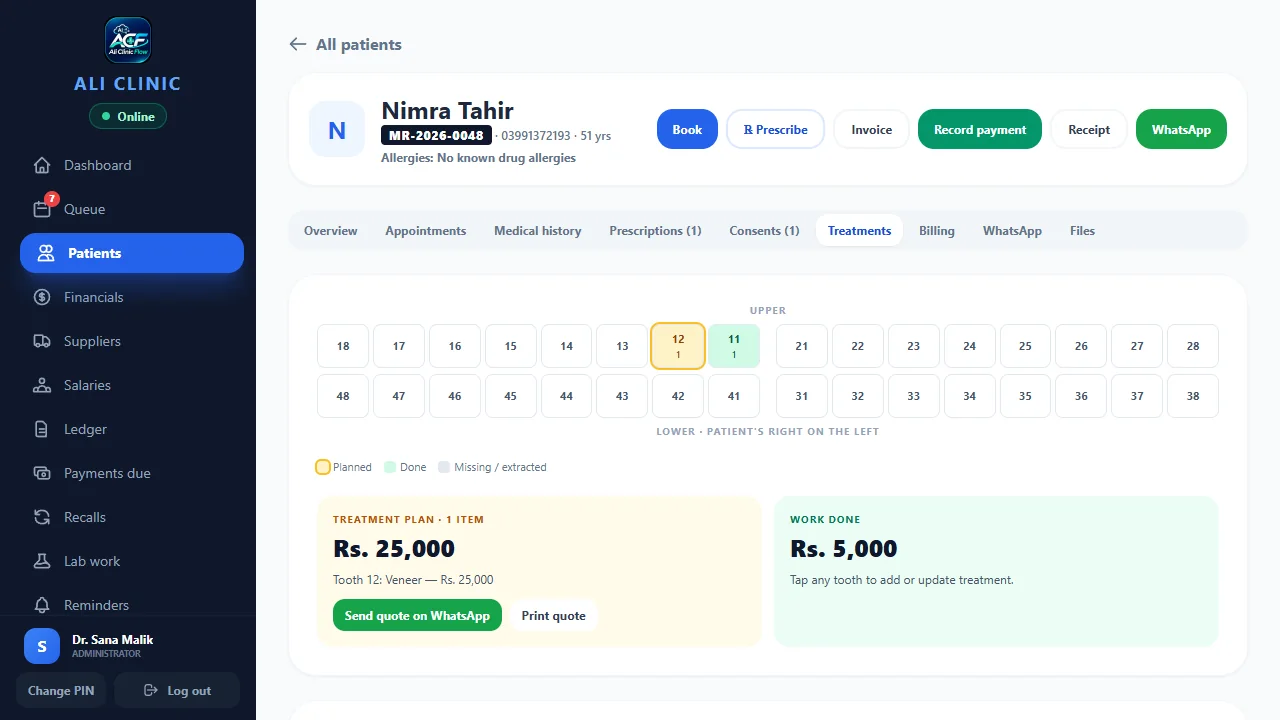
Treatment planning, with the patient in view.
Keep dental charts, planned work, quotes and payments connected to the patient.
- Dental charts and treatment plans
- Patient quotes and recorded payments
- Appointments and follow-up reminders
A clearer picture before the next consultation.
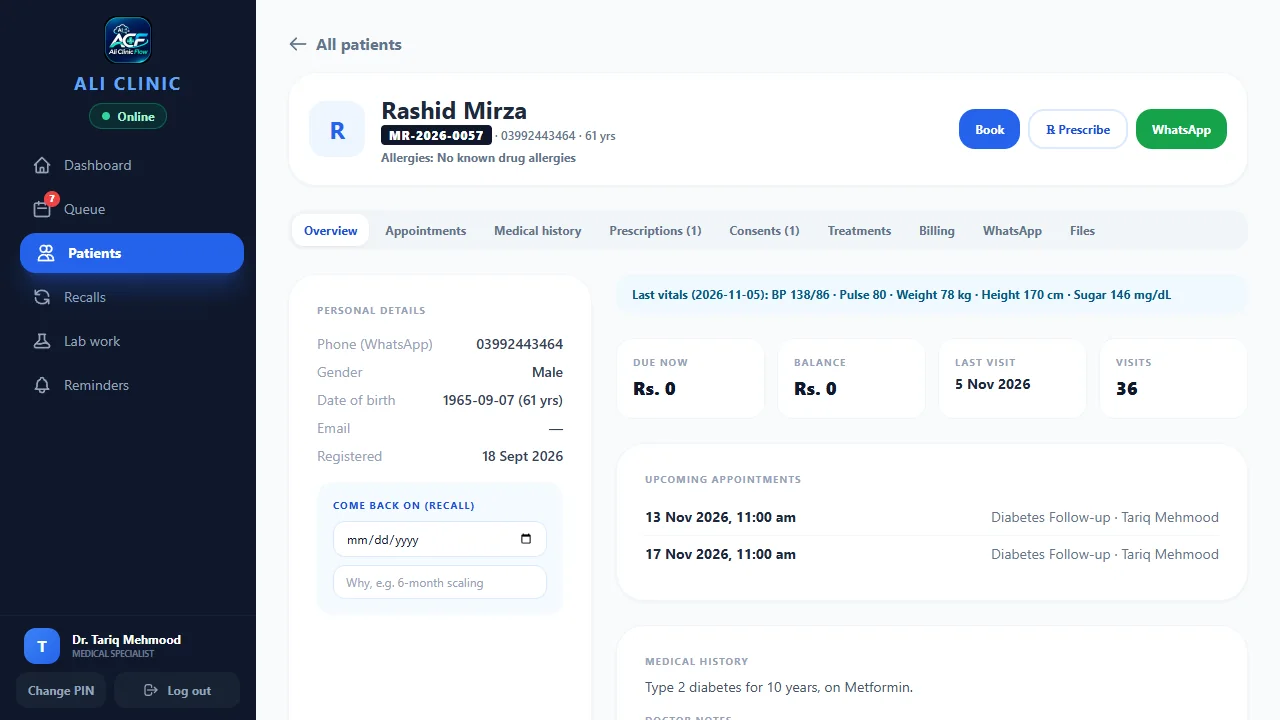
Bring patient records, supporting reports and daily appointments into one shared clinic workflow.
- Patient history and supporting reports
- Appointments and the reception queue
- Recorded payments and outstanding balances
Make every return visit easier to prepare for.
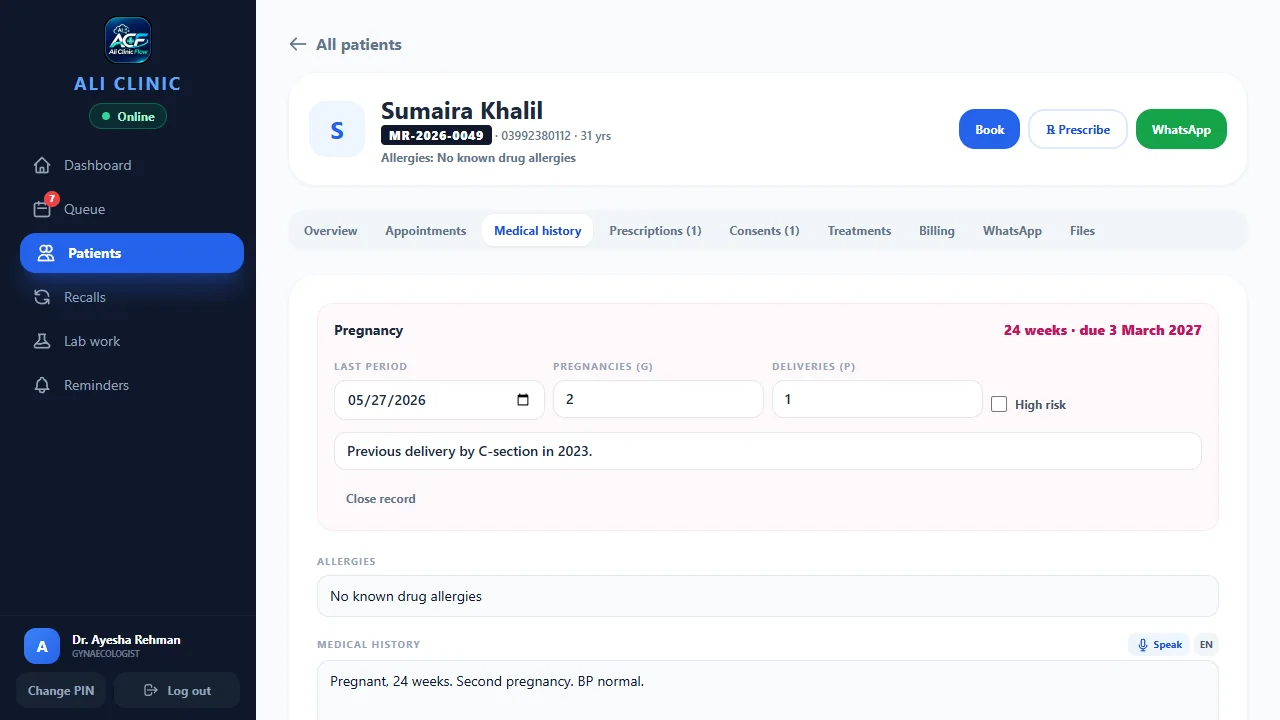
Keep pregnancy details, patient history and return appointments together, so your team can prepare for the next visit.
- Pregnancy details in the patient file
- Appointments and return-visit planning
- Individual staff sign-ins and roles
Keep the schedule and reception in step.
Help reception follow appointments and tokens while the clinical team has access to the patient file.
- Appointments and patient tokens
- A shared view of the reception queue
- Patient files and recorded payments
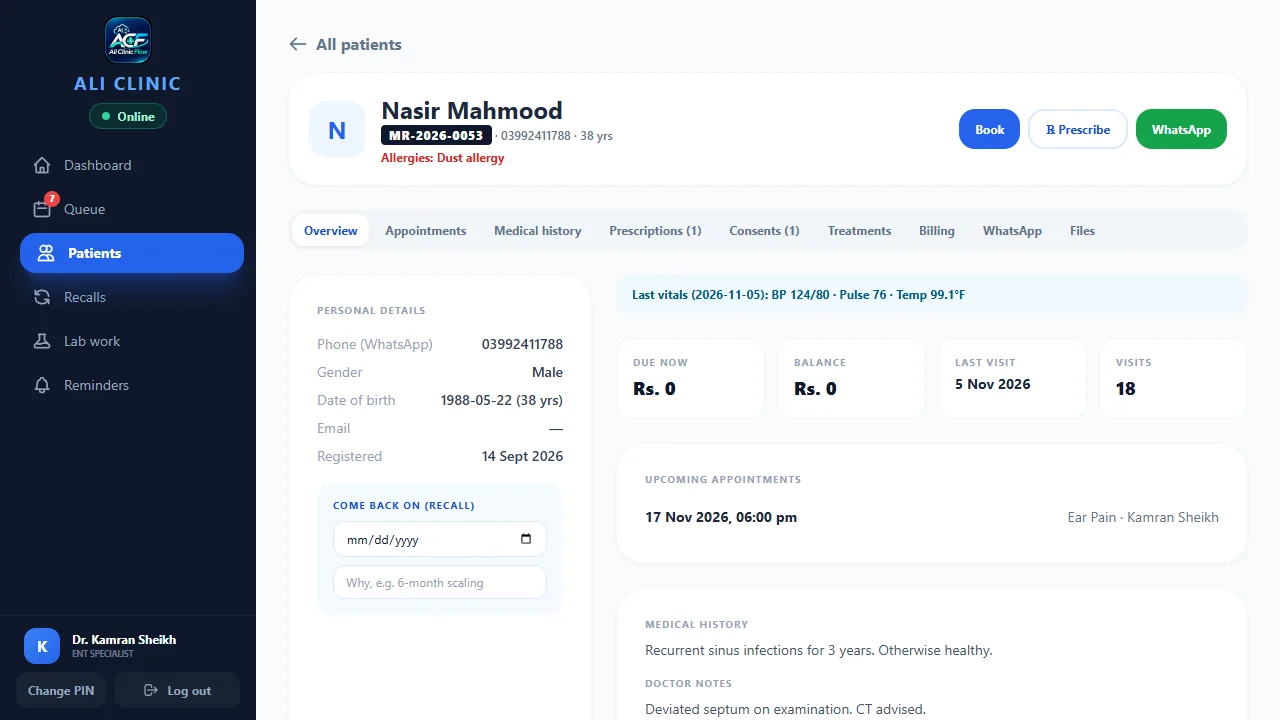
Keep the patient story together.
Find patient records and supporting media, then pick up the clinic workflow from the previous visit.
- Patient files with reports and media
- Appointments and return visits
- Recorded payments and balances
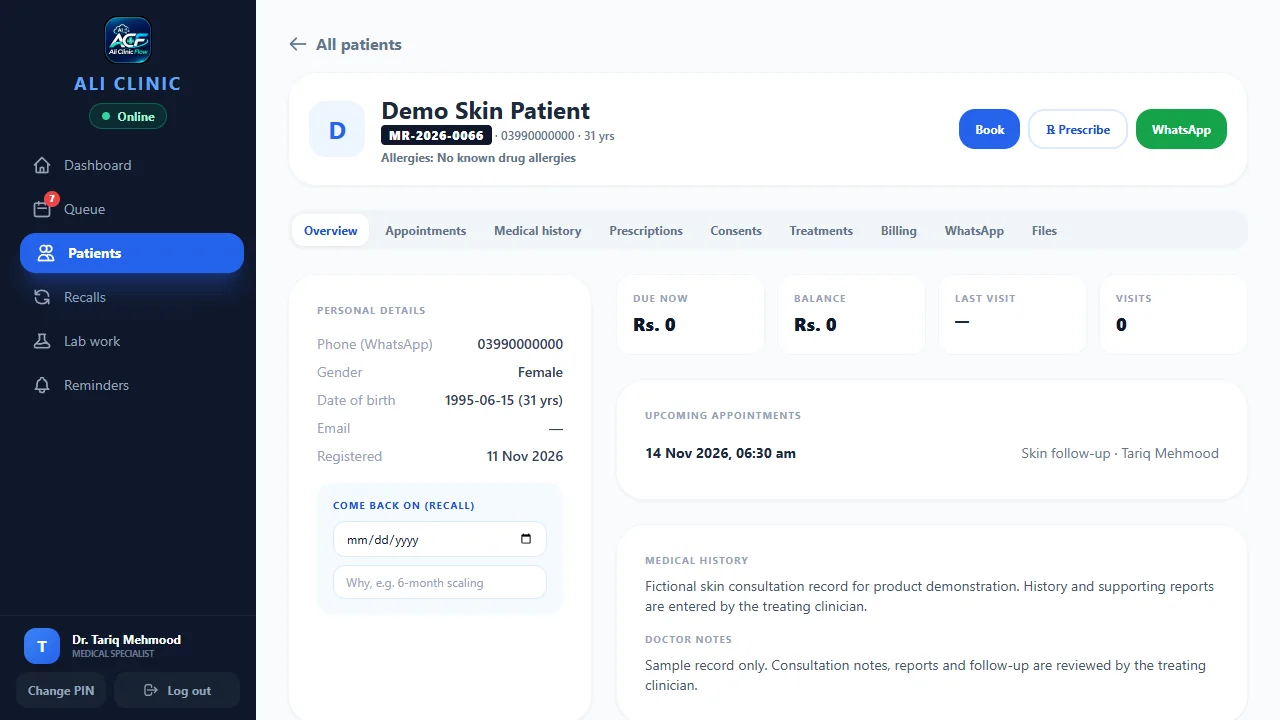
A clear front desk for a busy clinic.
Keep appointments, tokens and patient records organised as patients move through the clinic.
- Appointments and reception tokens
- Patient records and uploaded reports
- Individual staff access
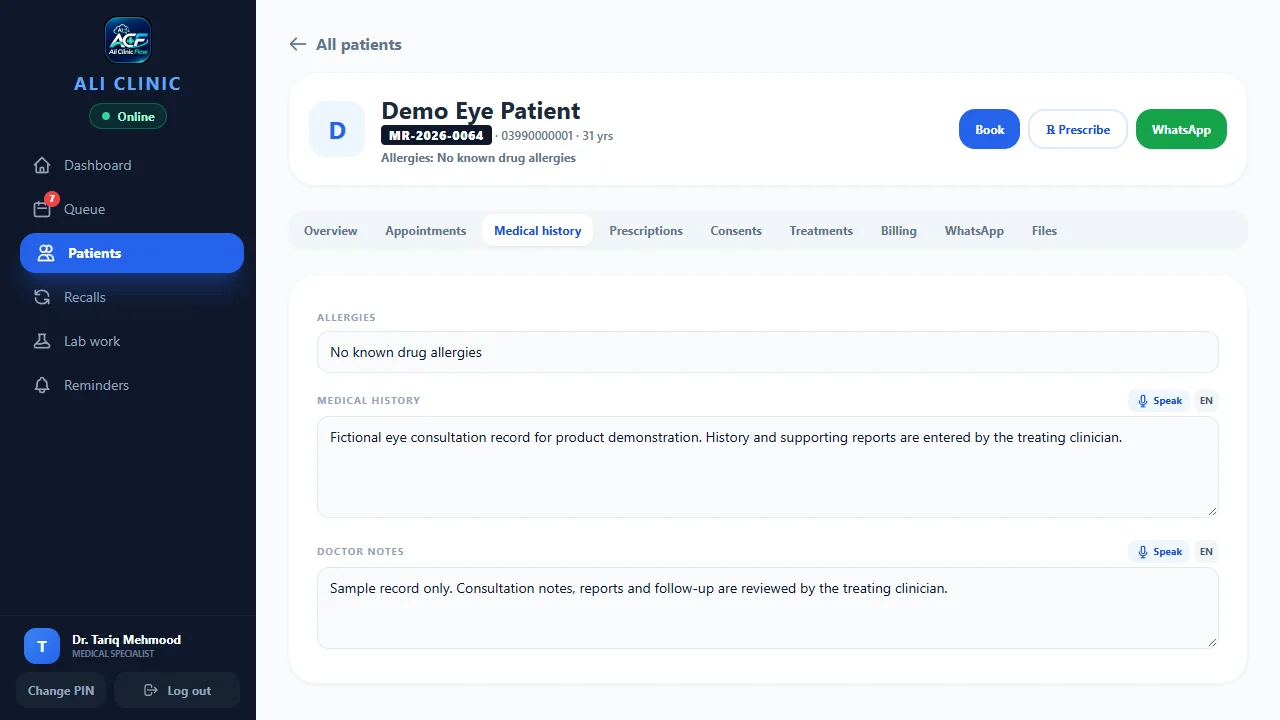
Keep the next appointment in view.
Manage appointments, patient records and follow-up reminders around your practice’s existing process.
- Appointments and follow-up reminders
- Patient history and supporting documents
- Recorded payments and outstanding balances
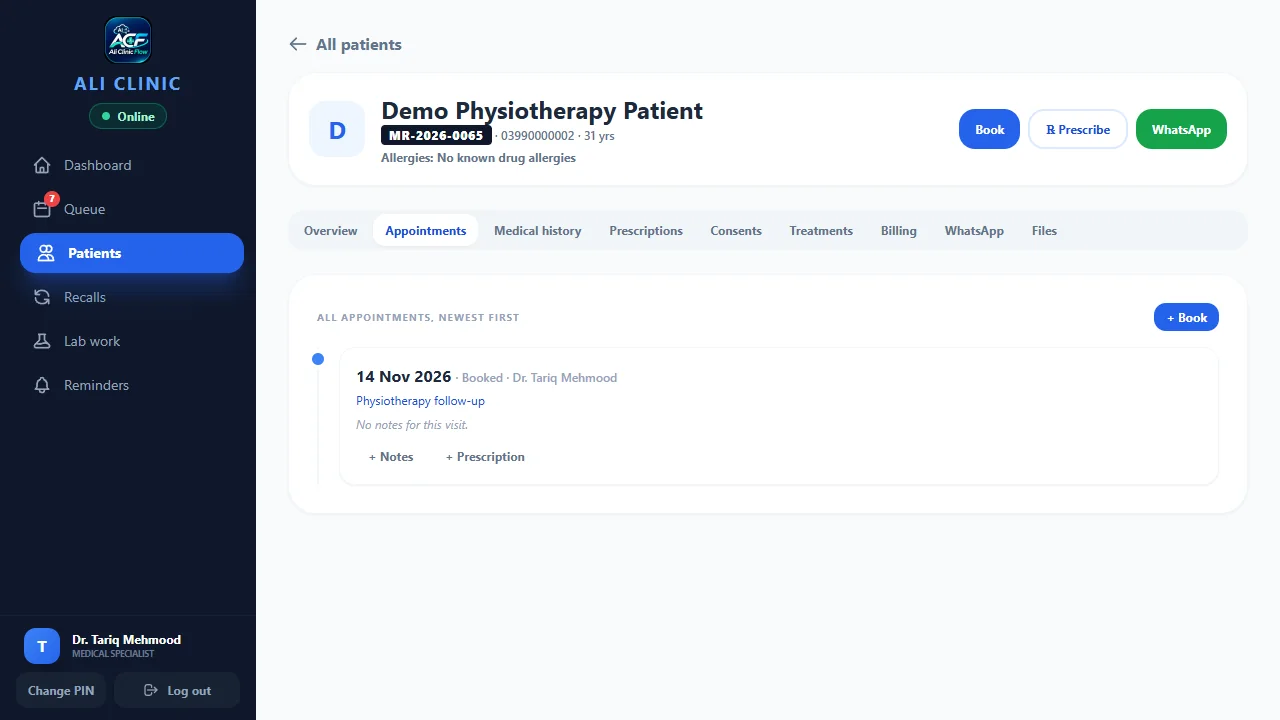
One view of the working clinic day.
Give doctors, reception and owners a shared operational view, with individual sign-ins and staff roles.
- Several doctors and departments
- Reception, patient files and payments
- Individual sign-ins and role-based access
Your specialty. Your clinic workflow.
Clinic Flow serves practices across specialties. Tell us how your team works and we’ll walk through the screens and setup with you.
- Appointments and patient records
- Payments and staff access
- A personal demo around your workflow
Your specialty isn’t listed? Talk to us about your practice ↗Specialty-specific clinical requirements can be reviewed in your personal demo.
A quick look inside
See the flow.
In 80 seconds.
Follow online booking, reception, dictation, patient records and payments in a guided product tour.
The doctor supplies the words and treatment instructions. The recording shows the dictation interface without submitting an AI request.
See trial & setup steps80 seconds · Urdu narration · English captions · Actual interface with sample data
Read the English video transcript
Give your clinic day a clear flow. Keep appointments, patient records and payments together in Ali Clinic Flow.
Patients can view available times and book online. The clinic confirms requests according to its settings, or enables direct booking into available slots. Keep reception tokens and the queue in view so the team knows who is next.
The doctor does not have to type every word. The doctor or authorised assistant speaks in Urdu, English or a mix. The software writes those supplied words as an English draft. The doctor checks and approves the text before saving the prescription. Treatment decisions remain with the doctor.
View the patient file, dental chart and treatment plan together. Keep payments, outstanding balances and instalment dates clear.
Request a 14-day free trial of the core clinic software. AI is a separate add-on. Setup and guidance are available in Urdu or English. Contact us on WhatsApp for a live demo.
What clinics say
Doctors who use it,
in their own words.
“Records, appointments and payments used to live in different places. Now everything about a patient is on one screen, and the team set it all up and trained my staff, so nobody had to work it out alone.”
“I started with Ali Clinic Flow, and the team then built a dedicated app around how my clinic works. They listen to how a dental clinic really runs, and that shows in the software.”
“Reminders reach patients on WhatsApp in one tap, and I can see who still owes a payment without going through registers. Setup and staff training were handled for us.”
“Treatment plans, payments and patient records are now in one place instead of on paper. The team trained our staff, and they were comfortable using it from the start.”
“A busy poly clinic needs the queue, prescriptions and payments to run together. Ali Clinic Flow keeps them on one screen, and the team looked after the setup.”
Confidence comes from clarity
See the details.
Decide with confidence.
Evaluate the actual screens, understand the plan and ask how your team’s data and access will work.
Real screens. Sample records.
Explore the workflow before sharing any clinic data.
View the tour ↗02 / CONTROLYour team stays in charge.
Individual staff access, backup questions and doctor review of clinical drafts.
Read data & access ↗03 / TRANSPARENCYPlans you can understand.
Published clinic prices, a 14-day core trial and a separate optional AI add-on.
Compare plans ↗Let’s make it practical
See how your clinic day could flow.
Bring your questions. We’ll show you the software, explain the plans and help you choose.