Available in core Clinic Flow
Appointments & reception
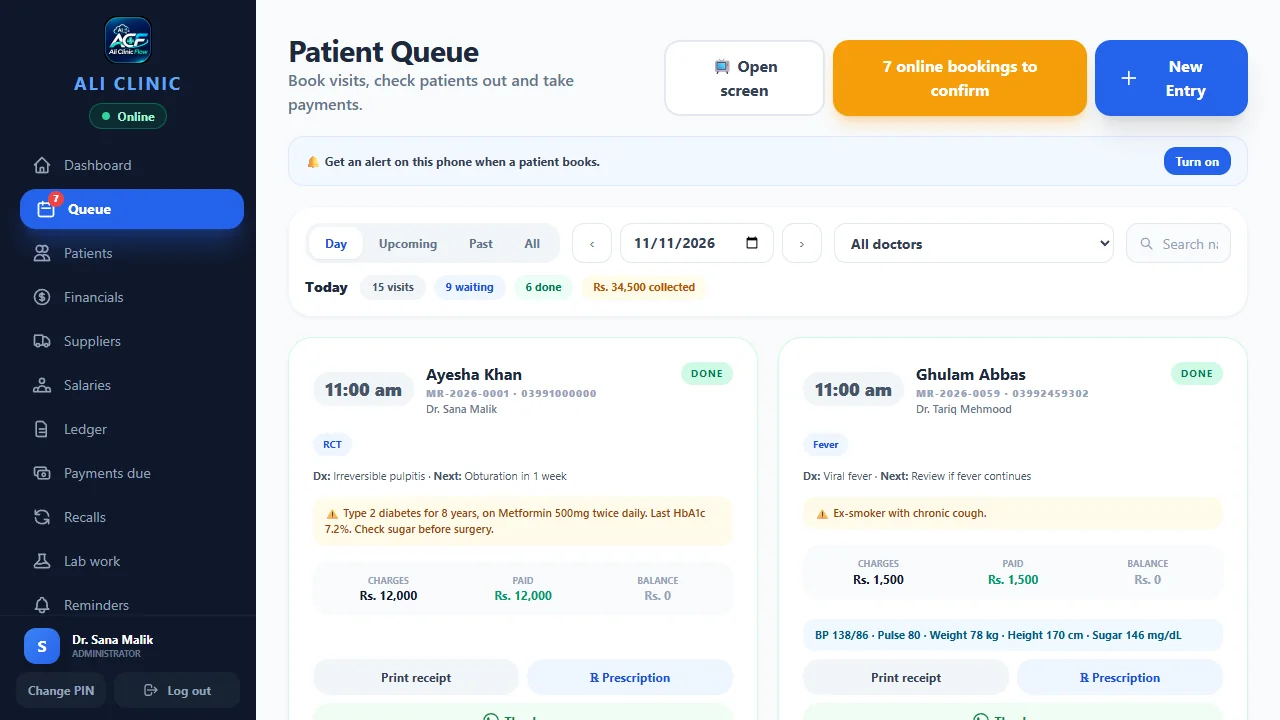
Follow bookings, tokens and the live queue from one reception view.
Explore appointments & reception ↗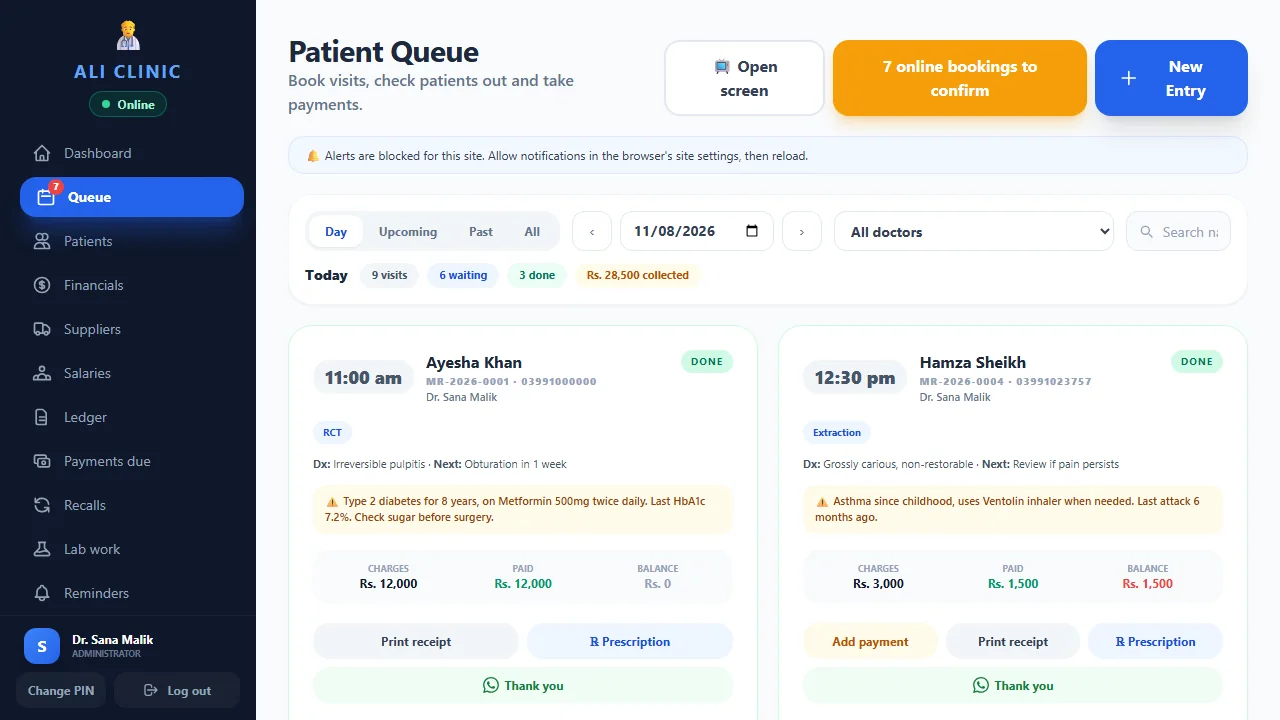

The connected clinic workflow
Appointments, records, prescriptions and payments, with optional AI to help with reception and writing supplied dictation.
Core Clinic Flow screens, shown with sample data. Optional AI is separate.
Available in core Clinic Flow
Follow bookings, tokens and the live queue from one reception view.
Explore appointments & reception ↗Available in core Clinic Flow
Keep patient history, reports and supporting media together for the next visit.
Explore patient records ↗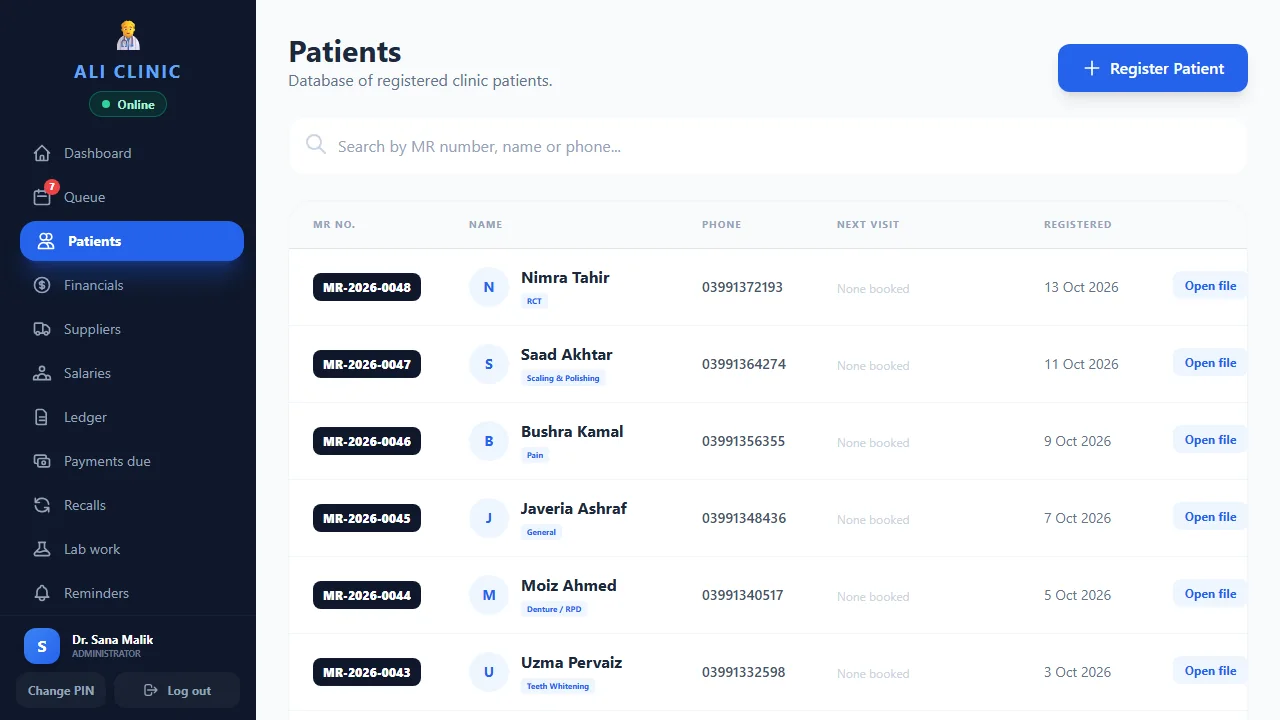
Dictation requires optional AI; doctor approval required
Review written prescriptions. Optional dictation turns supplied Urdu or English words into an English draft.
Explore electronic prescriptions ↗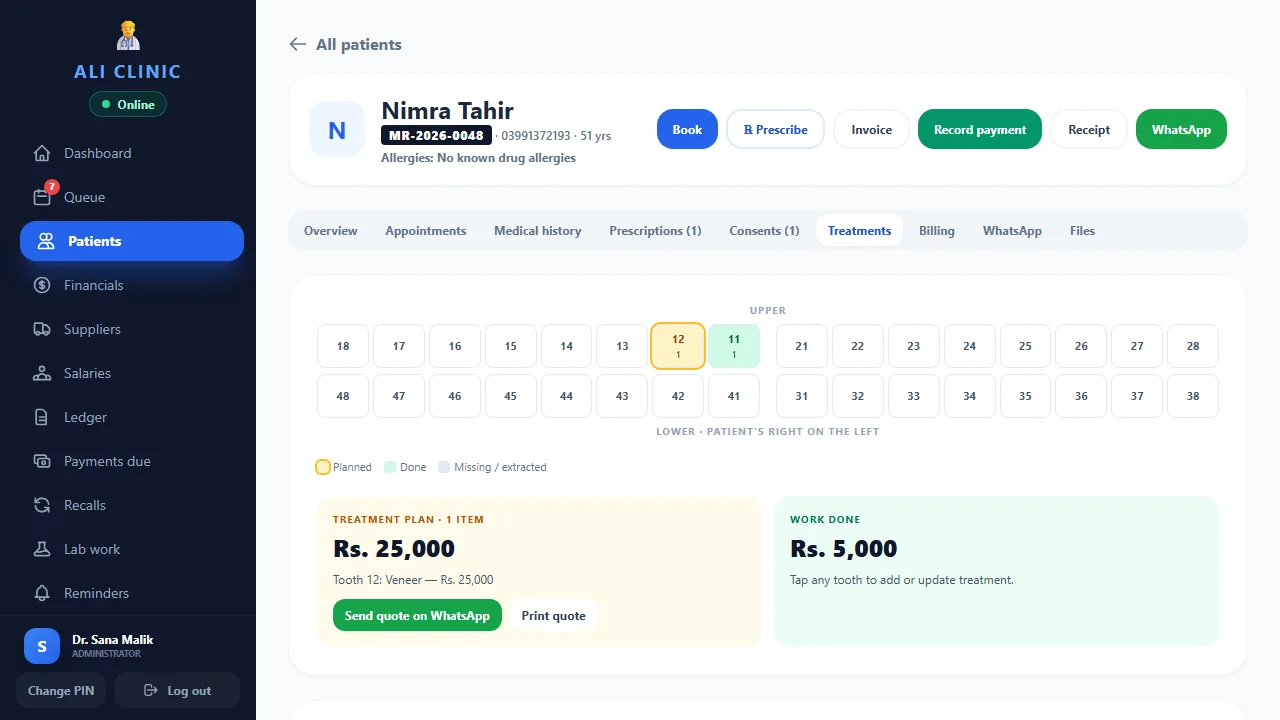
Available in core Clinic Flow
Record part payments, follow outstanding balances and review day-close reporting.
Explore billing & reporting ↗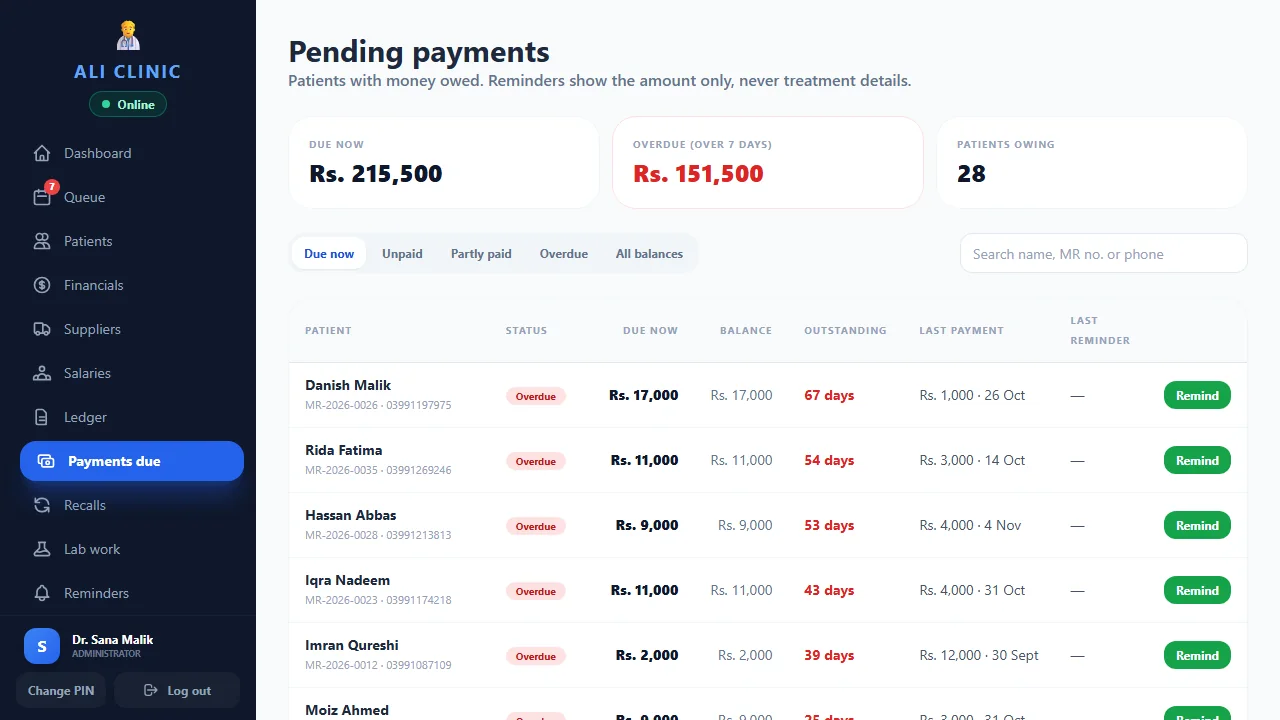
Available optional AI add-on; setup required
Help patients find available slots and request appointments online. The clinic controls direct booking.
Explore ai receptionist ↗Separate Pharmacy POS licence or monthly plan
Bill by unit or pack and follow stock, expiry and customer credit in the separate Windows product.
Explore pharmacy billing & stock ↗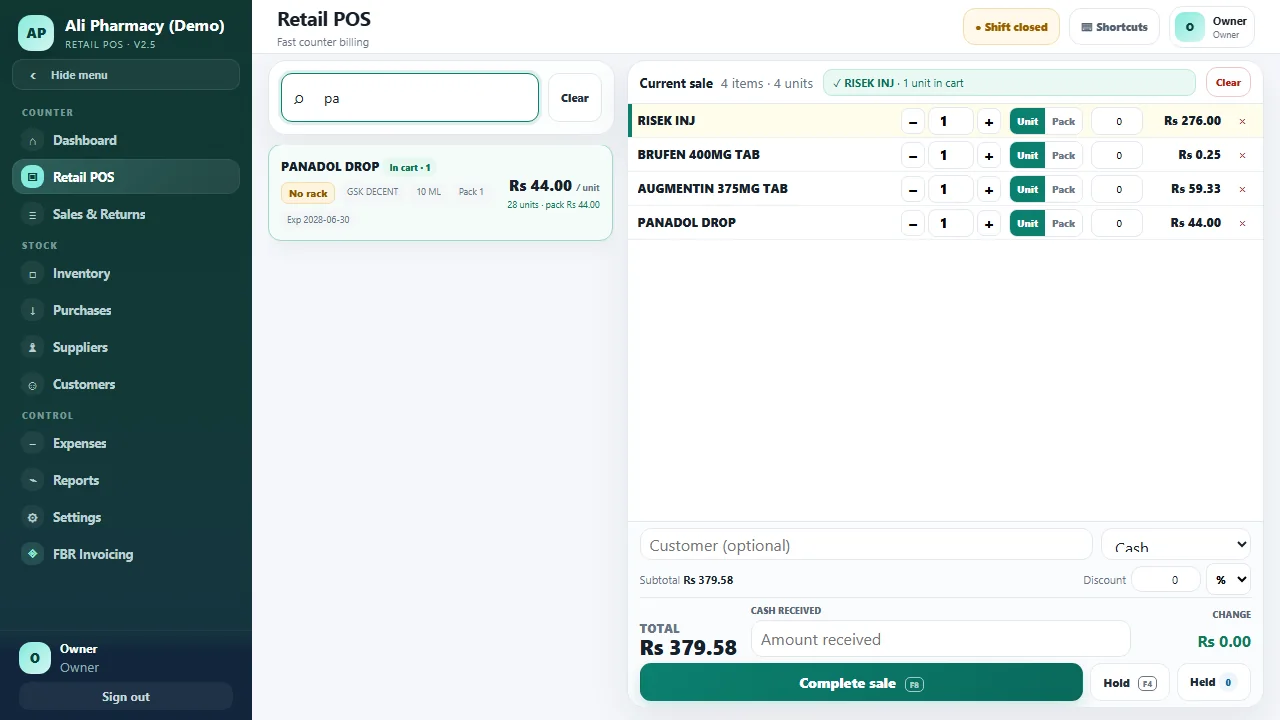
Built around your team
For doctors
Open patient history, review treatment plans and check dictated prescription drafts before approval.
Explore clinical workflows ↗Actual product screen · Sample data
For receptionists
Follow appointments and tokens, find patient files and see who is next in the queue.
Explore appointment management ↗Actual product screen · Sample data
For clinic owners
Review recorded payments and outstanding balances, and manage individual staff access.
Explore billing and access ↗Actual product screen · Sample data
For pharmacists
Use the separate Windows Pharmacy POS for unit and pack billing, stock, expiry and customer credit.
Explore Pharmacy POS ↗Actual product screen · Sample data
What clinics say
“Records, appointments and payments used to live in different places. Now everything about a patient is on one screen, and the team set it all up and trained my staff, so nobody had to work it out alone.”
“I started with Ali Clinic Flow, and the team then built a dedicated app around how my clinic works. They listen to how a dental clinic really runs, and that shows in the software.”
“Reminders reach patients on WhatsApp in one tap, and I can see who still owes a payment without going through registers. Setup and staff training were handled for us.”
“Treatment plans, payments and patient records are now in one place instead of on paper. The team trained our staff, and they were comfortable using it from the start.”
“A busy poly clinic needs the queue, prescriptions and payments to run together. Ali Clinic Flow keeps them on one screen, and the team looked after the setup.”
Confidence comes from clarity
Evaluate the actual screens, understand the plan and ask how your team’s data and access will work.
Explore the workflow before sharing any clinic data.
View the tour ↗02 / CONTROLIndividual staff access, backup questions and doctor review of clinical drafts.
Read data & access ↗03 / TRANSPARENCYPublished clinic prices, a 14-day core trial and a separate optional AI add-on.
Compare plans ↗Let’s make it practical
Bring your questions. We’ll show you the software, explain the plans and help you choose.