
The short answer
A dental administration workflow should link the patient’s tooth chart, treatment plan, quote, visits and payments. Record each agreed stage and each receipt against the same patient, then review the remaining balance before the next appointment. Clinical treatment choices remain the dentist’s responsibility.
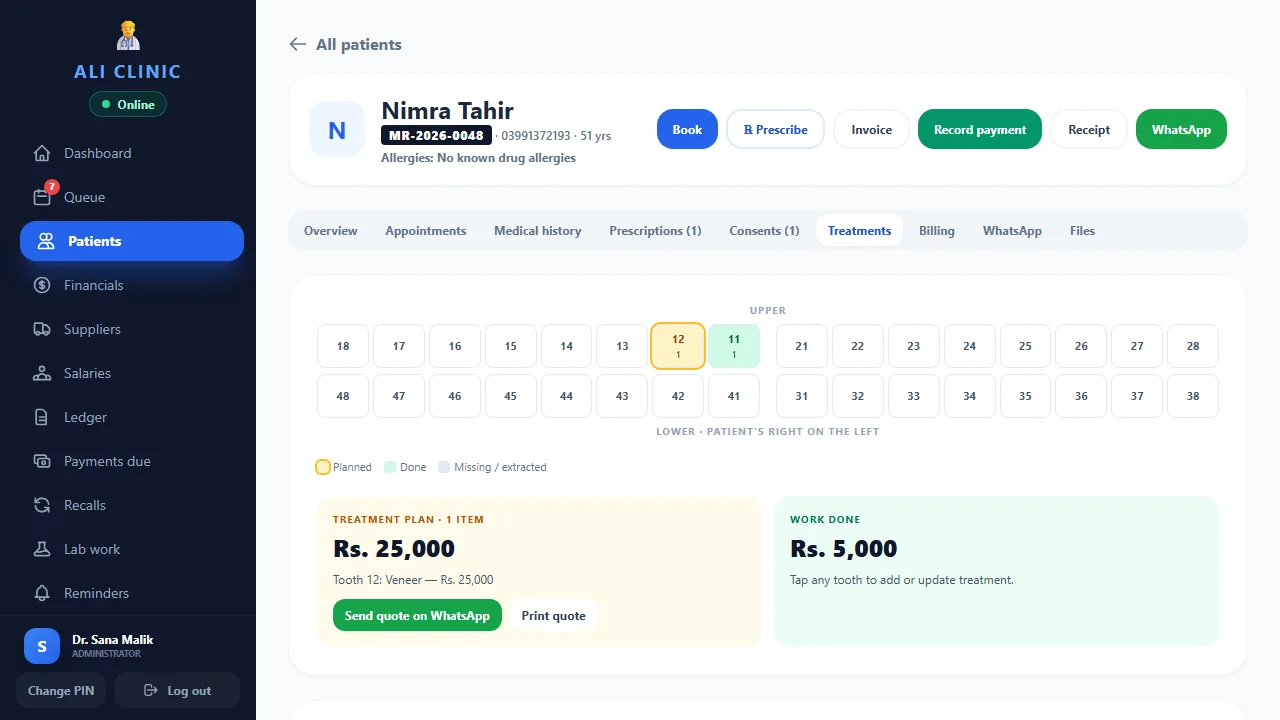
What should a dental treatment record connect?
Dental care can involve several visits, changes to a proposed plan and payments made at different times. When the chart is in one place and the payment notebook is in another, staff must reconstruct what was agreed.
Keep the patient file as the starting point. The dentist records the clinical plan; the administration team needs access to the approved quote, the planned visits and the payment position appropriate to its role. Do not treat a payment entry as proof that a clinical stage is complete.
- The relevant tooth or area on the dental chart
- The dentist’s proposed and approved treatment stages
- The quoted amount and any agreed revisions
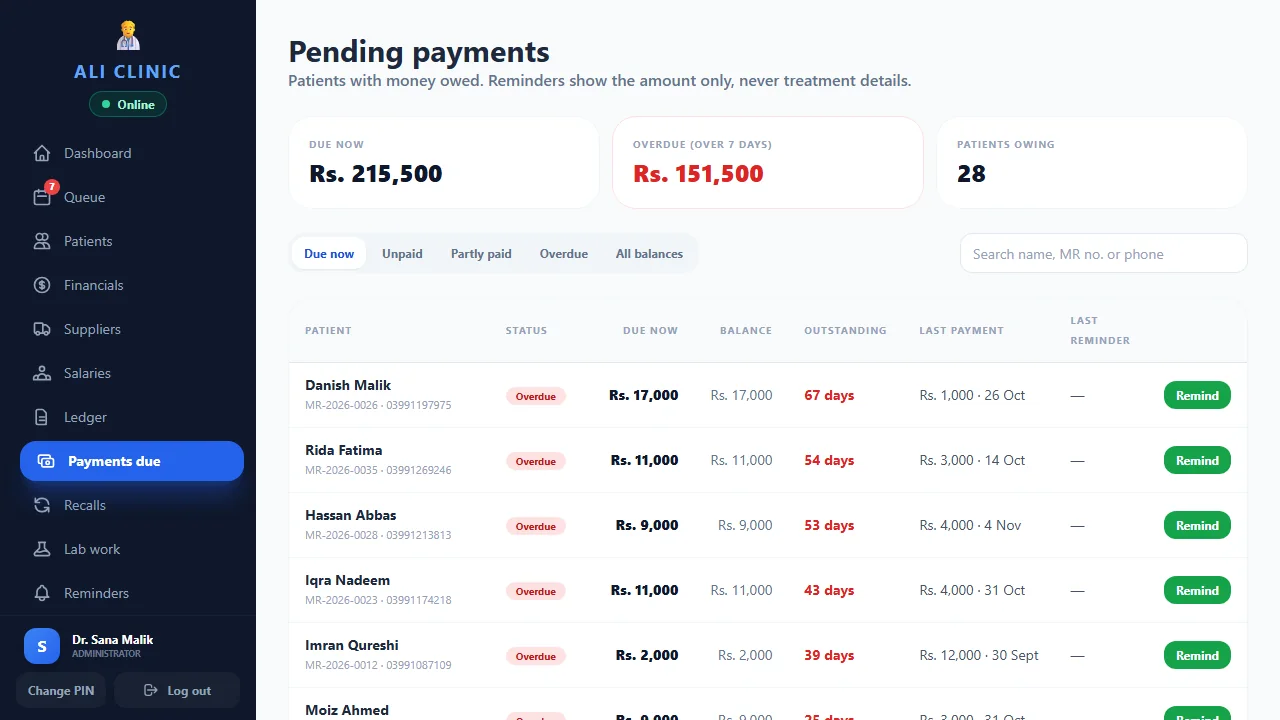
- Receipts, payment dates and outstanding amounts
- The next appointment and any agreed instalment date
How do staged payments work in practice?
Consider a fictional administrative example: a patient agrees to a treatment quote of Rs. 24,000 and pays Rs. 8,000 at the first visit. The remaining balance is Rs. 16,000. A later Rs. 6,000 receipt brings the balance to Rs. 10,000. These figures illustrate recordkeeping, not treatment pricing.
Scroll the table sideways to see all columns →
| Event | Payment | Balance |
|---|---|---|
| Agreed quote | — | Rs. 24,000 |
| First receipt | Rs. 8,000 | Rs. 16,000 |
| Second receipt | Rs. 6,000 | Rs. 10,000 |
If the plan changes, the dentist should approve the revised clinical plan and the team should confirm the revised quote with the patient. Record the reason for the change instead of silently changing an earlier receipt. Check how your software handles corrections during the demo.
What should reception check before the next visit?
Reception needs the appointment details, the amount already paid and any agreed payment arrangement. The dentist needs the clinical record and treatment history. Use individual staff sign-ins and review which financial and clinical screens each role can access.
- Find the correct patient and confirm the scheduled doctor.
- Check the next planned visit against the latest approved plan.
- Review receipts and agreed instalment dates.
- Ask the responsible team member to resolve disputed figures before collecting a payment.
- At day close, reconcile recorded receipts with the clinic’s actual collections.
How should a dental clinic organise the administrative record?
Separate the patient’s identity, clinical record and financial record while keeping them connected to the correct file. The clinical record contains the dentist’s findings and decisions. The financial record explains the quote, receipts and agreed balance. Reception should be able to understand the information needed for booking and collections without having to interpret clinical shorthand.
Use a consistent reference for the approved plan. Where care spans several stages, give each stage a clear administrative description and planned visit arrangement. Ask your software supplier to demonstrate how the plan, quote and receipts are linked. If a requested link or report is not supported, discuss the operational alternative explicitly rather than inventing an unofficial workaround during a busy clinic session.
The purpose is continuity between staff members. A receptionist covering a colleague’s shift should know where to find the latest approved quote and payment position. A doctor should know where the clinical record is maintained. Clear responsibilities help avoid the common situation in which every person has a different version of the patient’s current plan.
What should happen when the patient accepts a treatment quote?
Confirm which proposed stages are included in the agreed quote and record any payment arrangement using the clinic’s established process. A quote should make the financial scope understandable. It should not be used as a substitute for the clinical discussion, consent process or the dentist’s professional records.
For a fictional administrative example, a plan may show three stages with a total of Rs. 24,000. The patient may agree to an initial payment and later instalments. Staff should record the agreed dates or milestones and confirm how the patient receives the financial information. The figures in this guide illustrate bookkeeping only; they are not suggested fees or treatment recommendations.
During a software demonstration, ask to create the quote from a sample plan, find it again from the patient file and explain it from a reception account. Check whether an amended quote is distinguishable from the earlier proposal. The ability to reopen the correct financial scope matters as much as the ability to create a polished first document.
How should you handle a revised dental treatment plan?
Plans can change after the dentist reviews the patient, discusses preferences or reassesses the next stage. The dentist approves the clinical change. The team then needs to confirm the financial effect with the patient and record the revised quote using a traceable process supported by its system.
Keep earlier receipts accurate. If Rs. 8,000 was received on a particular date, a later change to the plan should not silently rewrite that historical payment. Ask how the software represents revised charges, corrections and any agreed refund or credit arrangement. Confirm which actions need administrator access and how the clinic records the reason.
Consider a fictional quote that changes from Rs. 24,000 to Rs. 27,000 after an agreed addition. If Rs. 14,000 has already been paid, the arithmetic balance becomes Rs. 13,000, subject to the clinic’s checked records and agreement. That example shows why the latest quote and the actual receipts must both be visible. A balance copied from an earlier notebook would give reception the wrong collection figure.
What details make part-payment records easier to reconcile?
Record the payment against the correct patient and check the amount, date and payment method before confirming it. Use the clinic’s approved receipt and correction process. If the payment relates to an agreed stage or instalment, preserve that context in the appropriate supported field or record rather than relying on staff memory.
For a cash payment, the recorded receipt should be part of the day’s cash reconciliation. For a transfer or another payment method, the authorised accounts person should match it to the relevant evidence. The clinic should define how it checks pending or disputed payments before describing them as received.
Ask the demo operator to enter a sample part payment, locate the receipt and show the updated balance. Then ask what happens when an amount is entered incorrectly. A correction workflow should be explained before real collections begin. Do not ask staff to change unrelated treatment details as a way of making the financial total match. The clinical and financial records have different purposes, even though they belong to the same patient file.
How should instalment dates and appointment reminders work together?
An appointment date tells the team when the patient is expected. An instalment date tells the team when an agreed payment is due. They may coincide, but they should not be assumed to be identical. Record each according to the clinic’s agreement and review both when preparing a follow-up visit.
Before contacting the patient, check the latest receipts. A payment made after a reminder list was prepared may already resolve the balance. Keep reminder wording appropriate to the communication channel and avoid unnecessary treatment information in a financial follow-up. Use the clinic’s established contact and privacy arrangements.
Clinic Flow supports one-tap staff-sent reminders and recalls. Automatic WhatsApp delivery requires the official WhatsApp Business API and a separate configuration. During the demonstration, ask which reminder is being prepared, who sends it and whether the date comes from an appointment or another record. This prevents a staff member from expecting a payment reminder to behave like a confirmed booking message. The goal is a checked, relevant contact rather than more messages.
How should a dental clinic check the day’s collections?
At day close, review receipts recorded during the session and compare them with the actual collections for each payment method. Identify missing entries, duplicates and corrections before the figures are used for owner reporting. An outstanding patient balance and a day’s collection total answer different questions; check both rather than treating one as a substitute for the other.
Suppose a fictional clinic records three receipts of Rs. 8,000, Rs. 6,000 and Rs. 4,000. The collection total is Rs. 18,000. That total does not reveal how much treatment remains, how many visits are complete or what each patient still owes. Those questions require the relevant plan and patient ledger context.
Agree who signs off the day-close review and how unresolved differences are recorded for the next working day. In a small practice, the owner may do this directly. In a larger team, the responsible administrator may prepare the reconciliation for review. Ask to see the report and permissions during the demo so your proposed process matches what the product actually supports.
What should your dental software trial prove before you switch?
Choose one simple sample plan and one plan involving several visits and part payments. Have the dentist create or review the clinical plan, then have reception find the approved quote and record a fictional receipt. Finally, have the owner check the patient balance and the day-end collection. Each person should be able to explain the result from their own account.
Add an exception: revise a quote, reschedule a follow-up or correct a mistaken payment using the demonstrated process. These situations reveal handover problems that a perfectly linear sales demo may not show. Record any questions about permissions, printed output and record history for the setup team.
Before using live financial data, reconcile opening balances and agree what historical material is being migrated. Review the paper-record migration checklist and the backup guide. To arrange a focused demonstration, tell the team how your clinic currently handles staged plans and instalments. That lets the demo follow your administrative workflow while the dentist retains control of all clinical decisions.
What should you test in dental software?
In an Ali Clinic Flow demo, ask to open the odontogram, create a sample treatment plan and quote, record a part payment and find the remaining balance. Then repeat the scenario using a reception account.
Bring the workflow you actually use: a single payment, several visits or agreed instalments. Check the output you need for the patient and the owner’s day-end review. Read the clinic software checklist for the wider evaluation and the backup guide before moving records.
Common questions
Does a dental chart replace clinical notes?
No. A chart and an administrative treatment plan provide context, but the dentist remains responsible for recording the clinical information needed for care.
Can Clinic Flow record part payments?
Yes. Clinic Flow supports patient payments, outstanding balances and instalment dates alongside dental treatment plans and quotes.
Does the article recommend treatment fees?
No. All amounts in the example are fictional and show how a balance changes after receipts. The clinic sets and agrees its own charges.
Product references & further reading
Published by Ali Clinic Flow, the product provider. These are operational guides, not independent product rankings or clinical advice. Product facts reflect the publication date; confirm current scope and prices with the team.
Your next step
Bring your staged-payment workflow.
See a sample dental chart, treatment quote, part payment and patient balance together in a live demonstration.
See the dental workflow See the 14-day core trial guide